Convert PNG to SVG
A PNG to SVG converter should do more than rename a file. Vector Boy traces the visible shape and builds genuine Bézier paths.
PNG and JPG to SVG explained ↗Vector Boy turns photos, scans, logos and handwriting into clean black-and-white vectors. Compare the original and contour in your browser, then export real paths as PDF, SVG, EPS or DXF.
Move over “paths” and watch the edge become smooth.No Illustrator marathon and no cryptic tracing dialog. The essential controls stay visible and understandable.
Drop a photo, scan or raster graphic into the workspace. Every element keeps its original position.
Black level, contrast and brightness recover faint lines from paper, wood and other uneven backgrounds.
Switch between original, result and vector. Remove distractions with the lasso and smooth visible pixel steps.
Use PDF, SVG or EPS for design, DXF for laser cutting and PNG for a cleaned raster image.
Upload, edit and preview every image for free. A credit is used only when you download.
Image analysis, black-and-white separation and vectorization run locally in your browser. Your photos are never uploaded for processing, protecting private drafts, unreleased logos, tattoo motifs and handwriting.
Only the required account, credit and payment data is processed. Your images remain separate.
Privacy details ↗Different sources and production methods need different contours. Each typical workflow therefore has its own guide.
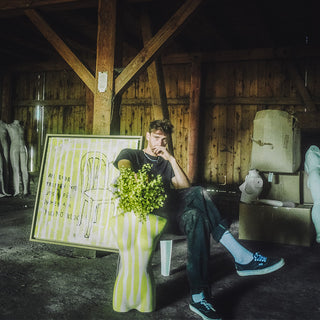
I am Fynn Kliemann and trained as a media designer. My typography often begins with a pen, spray can or brush rather than as a perfect file. For embroidery, handwritten graphics, flyers, print products and Kliemannsland motifs, it still has to become a reliable vector graphic.
The same is true for artwork around Two Finger Records, music releases and products: the line should feel handmade while functioning as a clean technical shape. Vector Boy grew from exactly that step between analogue draft and production.
“Do not iron out the handwriting. Just lose the pixels.”
A JPG or PNG consists of pixels, so enlarged edges become stepped or blurred. A vector graphic describes the same form with mathematical lines and Bézier curves, scaling from a small label to a large sign without losing quality.
Vector Boy creates closed black paths from dark image areas. White counters, such as those in A, O or P, remain genuine cut-outs. No additional white objects interfere with plotting, laser cutting or printing.
The terms differ, but the goal is usually the same: turn pixels into a clean, scalable vector file.
A PNG to SVG converter should do more than rename a file. Vector Boy traces the visible shape and builds genuine Bézier paths.
PNG and JPG to SVG explained ↗Vectorization deliberately reduces a photo to clear black shapes, creating vector geometry instead of hiding pixels inside an SVG.
Prepare photos and drawings ↗Create a vector graphic or trace an image for design in SVG. DXF supplies closed contours for laser cutters and plotters.
SVG and DXF for production ↗Yes. Upload, editing and preview are free. A credit is used only when you download PDF, PNG, SVG, EPS or DXF.
Yes. You can upload, vectorize, adjust and inspect an image for free. Only the download uses one credit, equivalent to 10 cents.
Yes. Vector exports contain black paths on a transparent background. Counters are genuine cut-outs in the paths.
100 credits cost €10 including VAT as a one-time payment. A download uses one credit, equivalent to 10 cents. There is no subscription.
SVG suits many plotters. DXF is often useful for laser cutters and CAD-related software. Check the requirements of your machine.
No. Image analysis and vectorization run locally in the browser. Only account, credit and payment data is processed separately on the server.
Share your personal Vector Boy link with people who also need to vectorize images. When a new account makes its first credit purchase, 50 credits are added to yours automatically.